Thing #5 - I started a new flickr account today for some special library images. This first picture is Ramesh, our Reading Dog. The second picture is a picture of Ramesh when he was a puppy. When kids can sign up to read to Ramesh, they also have the opportunity to look through his baby book. Ramesh has recently become ill and we miss him terribly and hope he recovers soon!
And our next generation of readers have the opportunity to read to Scala:

Thing #6 - For some fun flickr mashups & 3rd party sites, I chose to make some Warhol posters and a Librarian Trading Card (very cool):


 For the Warhol posters (using the Warholizer) you have to try many times before you get the best color combinations but it would be really fun to do for co-workers and family & friends. This is a great way to make a personalized birthday card and or fun craft program if you had easy access to a color printer.
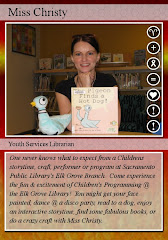
 I finally have a Librarian Trading Card! This was very easy and super fun.
 Thing #7 - http://gizmodo.com/ - This gadget review website has lots of cool tips on what is hot and what seems useless. I read about the death of iPods in light of the new apple itouches & iphones. Some of us are still trying to figure out which ones to buy and which ones to save for later while waiting for phone & internet contracts to expire. I would most likely suggest this web site to customers seeking the latest info on hot tech gadgets.
http://lifehacker.com/ - This tech tips website has the latest info on web applications, many for free if you sign up with your email. There are new trial and free applications to personalize your firefox web browser, some project management tools and I read that "according to the Harvard Business blog, you can organize an eight-hour work day and keep it on track by creating a ritual that'll only take a total of 18 minutes each day" (http://lifehacker.com/5321204/take-18-minutes-to-keep-your-days-on-track?skyline=true&s=i). You can do this in three easy steps:
STEP 1 (5 Minutes) Set Plan for Day.
STEP 2 (1 minute every hour) Refocus...
STEP 3 (5 Minutes) Review.
Wow, I'm going to try this on Monday. Usually, to deal with a busy day I like to write notes at the end of the day what I need to get done the following day but psychologically it makes me feel like I'm always playing catch-up. I think it's an excellent idea to set a five minute plan for the day and then refocus every hour.
Wow, I'm going to try this on Monday. Usually, to deal with a busy day I like to write notes at the end of the day what I need to get done the following day but psychologically it makes me feel like I'm always playing catch-up. I think it's an excellent idea to set a five minute plan for the day and then refocus every hour.
This might help in feeling less scattered. I commit to trying it.
http://www.makeuseof.com/ - On this website, I was most interest in the free downloadable cheat sheets!
NEW! MakeUseOf Downloads [Free Guides] You can get ten essential cheat sheets: Google Cheat Sheet, Windows Cheat Sheet, Mac OS X Cheat Sheet, Gmail Cheat Sheet, Firefox Cheat Sheet or Firefox (for Mac),
Google Reader Shortcuts, Linux Cheat Sheet, Linux Command Line Ref., Thunderbird Cheat Sheet, Internet Explorer Shortcuts. Wow, these are really great!
Google Reader Shortcuts, Linux Cheat Sheet, Linux Command Line Ref., Thunderbird Cheat Sheet, Internet Explorer Shortcuts. Wow, these are really great!
http://www.geeksugar.com/ - On this website, I was most interested in the Best iPhone Apps For Parents of Toddlers and Older Kids. Since many parents seem to have iPhones, I might be able to copy this list to give to parents: KidClock (For parents of children who are always asking when it will be time to eat or bathe, allows mom to create a customized schedule that their lil ones can follow, while learning the concept of time), Good Food Near You (healthy parents know how hard it is to find a decent place to stop for a meal, helps locate all of the sandwich, salad and wholesome stops near your current location), Giftster (Once your child joins the birthday party circuit, you'll be hitting the toy store on an all too frequent basis. Keep track of what gift you got each tot. The app allows you to record ideas and see what you purchased in previous years to prevent repetition), Sit or Squat (has the ability to seek out clean bathrooms for families and facilities with changing tables), School Supply List (Keep track of each kiddo's back to school must haves. The application makes it easy to combine lists for different classrooms, reducing the number of trips to the store, Nutrition Menu (Keep track of the nutritional value of more than 1,500 food items. This will help your children eat the right things, Family Vault (Busy mamas never have to rifle through paperwork to find their lil ones' blood types, social security information and more. Requires a PIN to access the information, so even if your smartphone is lost, the information remains secure), My Kids (Another application used to keep children's information close at hand, app includes height and weight tracking, schedule information, as well as blood type and allergy details), MiKids (Keep track of multiple kids' clothing sizes, birthdays, color preferences and favorite foods).
Out of these 4 websites, I likes geeksugar best because the iPhone apps for parents is something my toddler moms can relate to and might find most useful and hip of me to offer it to them. I've already had parents showing me their photos and book downloads on their iPhones. Soon, there will be an app for everything!